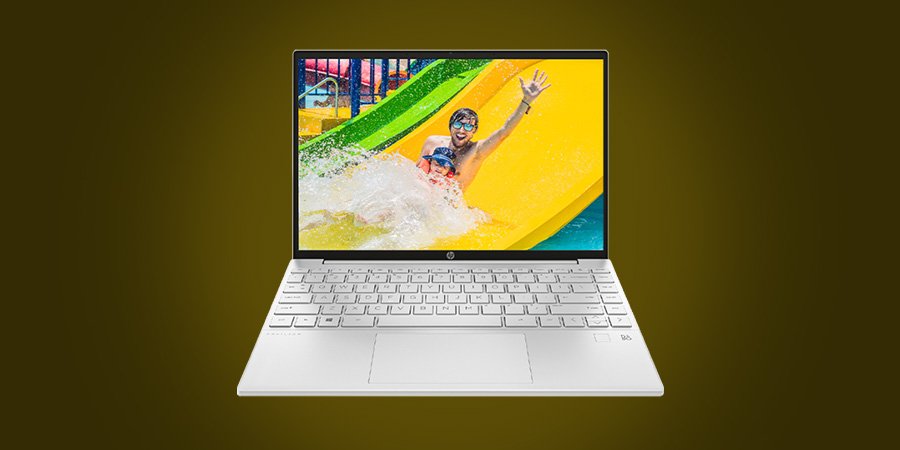
Want to use your laptop in bed without overheating? No worries, you are not alone; we all, regardless of who we are, freelancers, students, designers, or entertainment freaks, love to watch a movie, perform long activities, and play games on our laptops by lying in our beds.
Like us, you might feel, by laying in bed and getting into your comfort zone, you will increase your creativity and productivity. Right?
How to Use a Laptop in Bed without Overheating?
But what to do with the laptop that gets overheated in bed? What are the ways of reducing the overheating issues? Queries! Queries! And Queries!
Well, no more confusion; get into our article, How to Use a Laptop in Bed without Overheating, and feel free to place the laptop on the bed.
No more talk; let’s jump into the methods, but before that, don’t forget to
Why does a Laptop Overheat in Bed?
Many of us are addicted to using a laptop in our bed or couch because using our laptops in bed is full of comfort and ease, but here is a problem as well. When we use a laptop on a mattress, foam works as an insulator and the laptop gets heated.
The same thing happens when you have a laptop in your lap.
Actually, laptops have holes at the bottom that help in ventilating the laptop. The laptop needs constant airflow, but when you put it over your foamy mattress, it impacts the temperature regulation, and your laptops get overheated.
What are the Disadvantages of an Overheated Laptop?
Does your laptop overheat repeatedly? It is not good for your laptop’s lifespan; you need to prevent your laptop from heat and keep your laptop cool.
When your laptop gets warm due to the clogged bottom, it becomes slow, sluggish, and unresponsive.
The overheated laptop not only affects performance but the lifespan, too. Most often, it gets unbearably warm; it may also catch fire.
How to Use a Laptop in Bed without Overheating?
The temperature maintenance of your laptop is essential, and there are different ways of keeping your laptop cool and dissipating the heat.
A heated laptop in bed makes your laptop unresponsive, so follow the below-mentioned ways and fix your laptop side by side.
1.) Use a Laptop Cooling Pad:
The first measure that you can take is using a laptop cooling pad; this cooling pad keeps the temperature low and does not let the laptop heat anyway.
This way, your craving for using the laptop in bed also gets satisfied and in addition, your laptop also stays cool, too. Though it is a flat cooling pad, it still works as a stand and offers a great screen view.
Note: Cooling pads are always beneficial; you can also put them under your laptop when you are using any of the below-stated solutions.
2.) Use a Laptop Bed Stand:
Here we have one more suggestion: using bed stands of different sizes and shapes. The bed stands will provide you the ease of using your laptop by staying in bed, but this bed stand comes with a plethora of other benefits, too.
You can adjust the stand height by using an adjustable laptop stand. The stands are more effective because you can use them for writing, reading, and even eating.
3.) Use the Hard Surface:
Using the hard surface- one more solution of protecting your laptop from overheating. It is a useful yet free method because you can pick the hard surfaces of your home and put them under your laptop to avoid overeating.
You can keep a wooden cutting board, any small stool, and a plastic tray; these hard surfaces will ensure appropriate ventilation of your laptops, and they will not get hot, no matter how long you stay on a mushy surface.
You can also pile up your books and put your laptop over them, so this way, you will be able to use a laptop in bed without overheating.
Downtime: If the stack of hard surfaces falls due to any issue, your laptop will also go down. So, you need to be extra vigilant while using this hack; otherwise, you can buy a stand.
4.) Hook the laptop to your TV:
So here is one more solution, hooking the laptop to your TV, so you can perform your function on the TV screen by staying in your bed. There are different ways of connecting a laptop to your TV; you can use a Bluetooth or HDMI cable for ease.
Here is one downtime of this solution, you see the screen (characters, texts) in a smaller size. It is better to adopt this method when you want to watch a movie for a short time period, in your leisure.
5.) Clean The Vents (Exhaust Area):
The laptops’ slots are crucial as they help in ventilation because the laptops’ fans constantly push the warm air out and keep the laptop cool.
If the vents are blocked, the whole ventilation system will be affected, and warm air will remain inside, so you need to clean the vents and ensure the appropriate airflow regularly.
6.) Service The Laptop:
Many times the laptop gets overheated due to some internal issues, so besides buying the stands or pads, you also need to look into some internal issues.
Your laptop needs service every 6 months and it is something severe, so you must take your laptop for service twice a year.
If you feel there is just a dust issue, you can unscrew the laptop and use an air vacuum to get off the accumulated grime. The dust, debris, and grimes are dangerous and cause overheating for the laptop.
Conclusion:
[su_note note_color=”#e2f0fc”]Using the laptop in the bed and couch is not odd, but the bizarre thing is the laptop’s overheating that needs to be fixed before it gets badly affected.
So, to provide you with the right information, we have covered the reasons that make the laptop warm. We have also stated how this overheated laptop affects your laptop’s life, and last but not least, we have stated the steps that you can take to fix this overheating issue.
We recommend you use the laptop bed stand, and it is the most effective.[/su_note]